
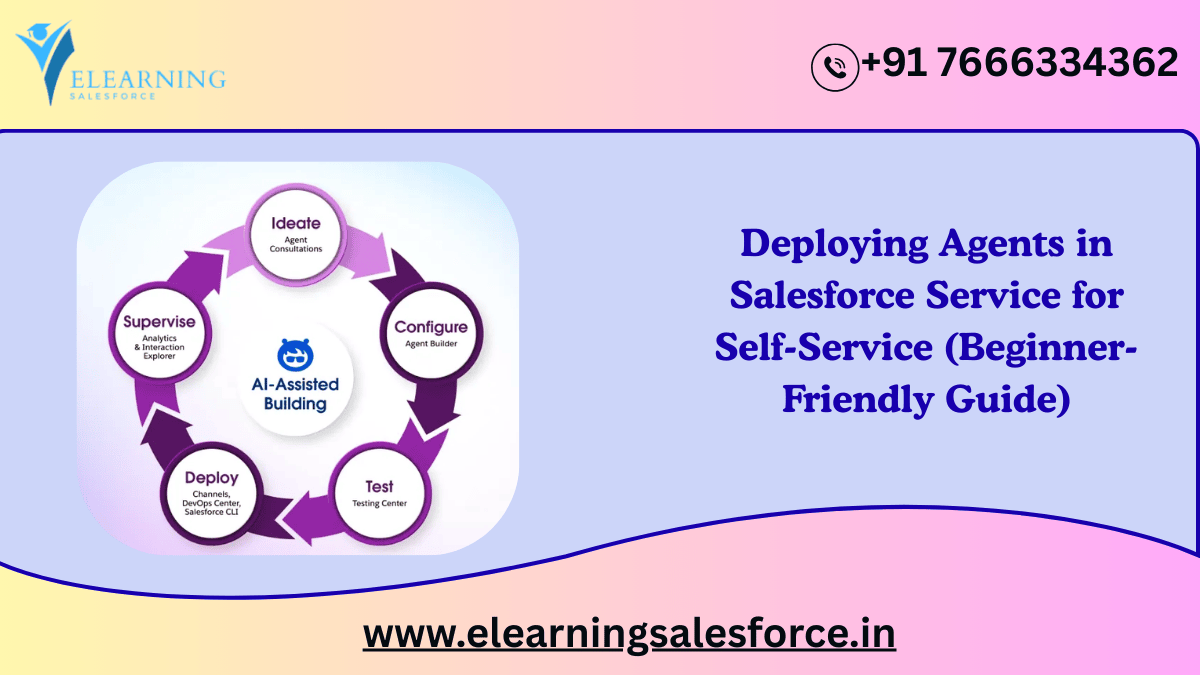
Customer expectations are evolving faster than ever. They want instant answers, personalized help, and 24/7 service—without waiting for a support representative. This is exactly why Deploying Agents in Salesforce Service has become one of the most important shifts in modern customer support.
Whether you’re a beginner learning Salesforce or a company employee exploring AI adoption, this guide will walk you through:
- What Salesforce Service agents are
- The role of AI agents and digital workers
- Why self-service is becoming essential
- How automated agents improve support operations
- Real-world use cases
- Step-by-step deployment overview
- Industry trends shaping the future of Salesforce Service
Let’s break everything down in a clear, conversational, and easy-to-understand way.
Understanding the Basics: What Are Salesforce Service Agents?
In Salesforce Service Cloud, agents traditionally refer to human support representatives handling customer cases, chats, and calls. But with the rise of AI, Salesforce has expanded this definition to include:
Digital Agents
AI-powered assistants that handle customer interactions automatically.
Einstein Service Agents
AI systems embedded in Service Cloud that:
- Guide customers
- Answer questions
- Perform quick actions
- Pull knowledge from articles
- Route cases intelligently
External AI Agents
LLM-powered bots integrated via APIs, such as:
- GPT-powered customer support agents
- Einstein Copilot extensions
- Partner AI bots (Genesys, Ada, Forethought, etc.)
These agents combine knowledge and automation to deliver self-service at scale.
What Is Self-Service in Salesforce and Why It Matters
Self-service refers to giving customers the ability to solve their own issues without contacting a human agent. Examples include:
- Help Centers
- Knowledge Base
- Chatbots
- Community Portals
- Einstein Bots
- Automated Case Resolution
Companies prefer self-service because:
✔ It reduces human workload
Less time spent answering repetitive questions.
✔ Customers get instant help
No queues, no waiting.
✔ Support cost goes down
Automation handles high-volume requests.
✔ Accuracy improves
AI pulls correct data from knowledge and CRM records.
✔ Customer satisfaction increases
People prefer quick answers to simple issues.
How Deploying Agents in Salesforce Service Enhances Self-Service
When organizations deploy agents—human and AI—in Salesforce Service, they unlock a more intelligent, blended experience. AI agents perform routine tasks, while human agents focus on complex issues.
Here’s where the transformation happens:
1. AI Agents Answer Customer Questions Automatically
For example:
- Order status
- Password reset
- Return policies
- Appointment scheduling
AI agents fetch data directly from Salesforce records and respond instantly.
2. Automated Bots Collect Case Details
Instead of customers typing long explanations, a Salesforce AI agent can:
- Ask questions
- Detect intent
- Fill case fields
- Attach relevant data
This reduces manual workload for support teams.
3. Agents Provide Knowledge Article Recommendations
When a customer asks a question, the AI agent can pull the most relevant Salesforce Knowledge article and display it automatically.
4. Intelligent Routing Improves Support Efficiency
If the agent can’t solve the issue, it routes the case to the right human agent using:
- Skills-based routing
- Omni-Channel
- Case classification models
This ensures faster resolution.
5. Digital Agents Act as 24/7 Support Staff
AI agents never sleep. They operate around the clock and handle thousands of interactions at once—something impossible for human teams.
Real-World Examples: How Companies Use Agents in Salesforce Service
Let’s look at beginner-friendly examples you can apply in any industry:
Example 1: E-Commerce Order Tracking Agent
A customer types:
“Where is my order?”
The Salesforce AI agent checks:
- Order records
- Tracking numbers
- Delivery status
Then responds instantly.
Example 2: Telecom Plan Upgrade Assistant
The AI agent helps customers:
- Compare plans
- Recommend upgrades
- Submit a change request
All without human involvement.
Example 3: Banking Virtual Assistant
A self-service agent can:
- Check account details
- Explain fees
- Track loan application status
Everything happens securely through authenticated portals.
Example 4: Software Support Bot
AI agents diagnose product errors based on logs and guide users through solutions—just like a human support engineer.
How Salesforce Supports Agent Deployment: Tools and Features
Salesforce provides a powerful ecosystem of tools that enables easy deployment of both human and AI agents.
Einstein Bots
Built-in conversational AI for websites and service portals.
Einstein Copilot
AI assistant embedded into Service Cloud for agents and customers.
Service Cloud Voice
Integrates telephony with AI-generated call summaries and real-time suggestions.
Omni-Channel Routing
Distributes cases to the best available human or AI agent.
Flow Builder
Automates repeated steps to support AI-driven workflows.
Einstein Case Classification
AI predicts case fields, severity, and required actions.
Einstein Article Recommendations
Suggests helpful articles to customers and agents.
Step-by-Step: Deploying Agents in Salesforce Service
Here’s a simple walk-through for beginners.
Step 1: Identify Common Support Scenarios
Start with high-volume, repetitive tasks such as:
- Reset password
- Track orders
- Submit return request
Step 2: Create a Self-Service Portal
Either:
- Experience Cloud site
- Help Center
- Embedded chatbot
Step 3: Build an AI Agent (Einstein Bot)
Set up:
- Dialogs
- Variables
- Integrations
- Response flows
Step 4: Connect to Salesforce Data
Bots use Apex, Flows, or APIs to access:
- Contacts
- Cases
- Orders
- Knowledge articles
Step 5: Test and Deploy
Check accuracy, routing, and fallback responses.
Step 6: Enable Human Handoff
If the bot gets stuck, route to a live agent.
Step 7: Track Metrics
Monitor:
- Resolution time
- Bot accuracy
- Self-service success rate
- Reduction in human workload
Industry Trends: The Future of Agents in Salesforce Service (2026 and Beyond)
1. AI-Powered Autonomous Agents
Agents will not just respond—they will take actions:
- Log tickets
- Make updates
- Trigger workflows
- Engage in multi-step tasks
2. Predictive Personalization
AI agents will tailor answers to each customer.
3. Multi-LLM Orchestration
Salesforce will intelligently choose the best AI model (GPT, Gemini, Claude).
4. Voice AI Expansion
AI agents will answer phone calls with natural, human-like conversations.
5. Automated Proactive Support
Agents will notify customers of issues before they occur.
Conclusion: Deploying Agents in Salesforce Service Is the Future of Customer Support
Deploying Agents in Salesforce Service empowers organizations to deliver fast, consistent, and intelligent support while reducing operational costs. From simple chatbots to advanced AI-driven digital workers, these agents enhance both customer and employee experiences.
Whether you’re an aspiring Salesforce professional or part of a company support team, now is the perfect time to explore and deploy self-service agents. The future of customer service is automated, personalized, and AI-powered—and Salesforce Service is leading the way.
Call-to-Action
Ready to master Salesforce Service and AI automation?
Explore our tutorials, structured learning paths, and advanced Salesforce AI modules to take your skills to the next level.
you may be interested in this blog here
Integration with SAP Systems and Workflows
9000+ salesforce developer jobs in usa (56 new)