
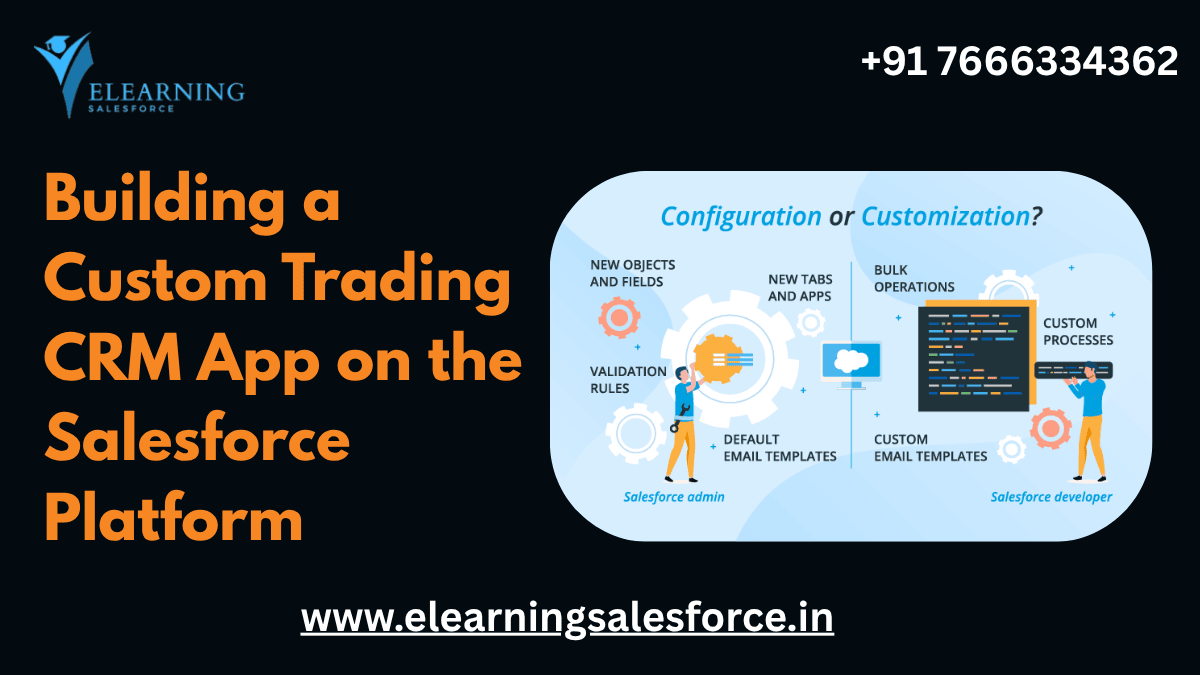
Imagine you’re part of a small trading desk or financial services firm. You receive market signals, client requests, trading orders, post-trade reconciliation tasks, KYC checks, and more. But everything is fragmented: spreadsheets, emails, chat logs, separate tools. It’s chaotic, error-prone, and slows you down.
Now imagine having a custom trading CRM app built on the Salesforce Platform that brings all of that data together — client profiles, trade orders, workflows, compliance checks, analytics — all in one place. That’s not fantasy. For beginners and teams alike, building a trading-CRM on Salesforce is a highly strategic, future-proof move.
In this guide, I’ll walk you through the foundations, market trends, real-world examples, and tips for getting started. My goal: to empower you and your team to take that first step toward financial literacy, operational efficiency, and long-term success.
Part 1: The Big Picture — Market & Industry Trends You Should Know
Vertical CRMs & Industry Specialization
Generic CRMs are everywhere, but the trend is moving decisively toward industry-specific or vertical CRMs. CRMs tailored for finance, trading, insurance, healthcare, etc., come with built-in workflows, compliance rules, and domain logic. LeadsBridge
In the capital markets domain, Salesforce is already being used to build custom solutions for investment banks, funds, and trading desks. These solutions link market data platforms, deal pipelines, compliance rules, and investor relations. Ascendix
So building a trading CRM on Salesforce isn’t just technically possible — it aligns with what the industry is heading toward.
The Rise of Embedded Intelligence
The future of CRM is not just storing data but making it smart. AI, predictive analytics, automation, smart scoring—these are becoming table stakes. Salesforce
In trading, this could mean client trade-scoring, predictive signals for order flow, automated alerts, or compliance flags. When your CRM can suggest next actions or flag anomalies, it shifts from a passive tool to an active decision assistant.
Integration & Data Convergence
One of the biggest challenges (and opportunities) is bringing together multiple silos of data: market data feeds, order management systems, KYC / AML systems, client portals, and back-office settlement systems. As highlighted in the CRM future roadmap, many organizations still struggle because data lives in too many disconnected places. Salesforce
A custom CRM built on a flexible platform like Salesforce lets you connect to all those systems via APIs, middleware, or custom connectors.
Part 2: Core Concepts & Architecture — What You Need to Understand
To build a custom trading CRM, you’ll want to grasp a few foundational Salesforce and trading-domain ideas. Let’s break them down.
Key Concepts in Salesforce You’ll Use
- Objects & Data Model
In Salesforce, “objects” are like database tables. For a trading CRM, you’d define custom objects such as Client, Trade Order, Trade Execution, Portfolio, Compliance Check, Market Signal, etc. You’ll design relationships (lookup, master-detail) to mirror real-world linking (for example, one Client → many Trades, or one Trade → many Execution events). - Fields & Validation Rules
Each object has fields (e.g. trade date, instrument, price, quantity). Use validation rules to enforce data integrity (e.g. “price must be > 0,” or “client must have KYC completed before trade accepted”). - Workflows / Flow / Process Automation
Salesforce’s automation tools (Flow, Process Builder, Apex triggers) help you automate tasks: sending email alerts when a trade fails compliance, routing a trade for approval when size exceeds threshold, auto-update statuses, or create follow-up tasks. - Security & Access Control
In finance / trading, data security is critical. Salesforce allows you to define roles, profiles, permission sets, field-level security, sharing rules, and row-level access. You can ensure that, for example, a junior trader cannot view portfolio of another desk, or only compliance officers can override a flag. - Reports & Dashboards / Analytics
You’ll build dashboards to surface metrics: number of trades per day, success/failure ratio, average execution latency, trade volume by instrument, client P&L, compliance violations, etc. - Integration & APIs
To fetch live market data, you might integrate with external systems via REST or SOAP APIs. Salesforce’s “Platform Events,” middleware tools (MuleSoft, external ETL tools), or external data sources can power that flow. - User Interface / Lightning Experience / Custom Components
For a polished front-end, you might build Lightning Web Components (LWC) or Aura components, or customize page layouts to make workflows clean and intuitive for traders, analysts, compliance, etc.
Part 3: Walkthrough Example: “Simple Trading Workflow”
Let’s walk through a minimal but concrete example to make things real.
Use Case: Trader Submits Order → Compliance Review → Execution → Settlement
- Trader creates a Trade Order record
Fields: client, instrument, side (buy/sell), quantity, price, trading desk, timestamp. - Trade Order triggers compliance check
- Use a Flow or trigger to run Compliance Check logic:
- Is client allowed to trade that instrument?
- Has KYC been verified?
- Does the order exceed approved limits?
- Is client allowed to trade that instrument?
- If any check fails, flag the order and notify compliance team.
- Use a Flow or trigger to run Compliance Check logic:
- Order approval / override logic
- If order is flagged, route to compliance for manual override. Use approval processes or custom Flow UI for compliance to accept/deny.
- If order is flagged, route to compliance for manual override. Use approval processes or custom Flow UI for compliance to accept/deny.
- If cleared, mark order “Approved” → send to execution module
- Execution system may be external. You may insert a “pending execution” status, and pull execution confirmations via API.
- Execution system may be external. You may insert a “pending execution” status, and pull execution confirmations via API.
- Trade Execution
- After execution, populate Trade Execution record with actual price, timestamp, fees, etc. Link it to the parent Trade Order.
- After execution, populate Trade Execution record with actual price, timestamp, fees, etc. Link it to the parent Trade Order.
- Settlement / Post-Trade
- Once execution is complete, trigger settlement tasks (cash transfer, reporting, reconciliation). Or integrate with back-office systems.
- Once execution is complete, trigger settlement tasks (cash transfer, reporting, reconciliation). Or integrate with back-office systems.
- Dashboard / Monitoring
- Build a dashboard for “Live Orders,” “Orders awaiting compliance,” “Failed checks,” trade volume by client or instrument.
- Build a dashboard for “Live Orders,” “Orders awaiting compliance,” “Failed checks,” trade volume by client or instrument.
This simple workflow can expand to include more complexity (e.g. partial fills, rebalancing, error corrections, multi-leg trades, margin check, risk models, notifications). But it’s a practical starting point.
Part 4: Benefits, Challenges & Mitigation Tips
Why Go Custom vs Buy Off-the-Shelf
- Flexibility & Fit: A custom CRM allows you to model your precise trading logic, compliance rules, and workflows — not force your business into the constraints of a generic CRM. HashStudioz
- Integration Power: You can tightly integrate with your trading engines, market feed APIs, risk systems, and settlement engines.
- Scalability & Ownership: You own your architecture and can extend it over time without vendor lock-in.
- Single Source of Truth: All trading data, client info, compliance logs, and dashboards live in one connected platform.
Common Challenges & How to Overcome Them
| Challenge | Mitigation Tip |
| Complexity of domain | Start with a minimal viable workflow (MVP) — e.g. simple orders and compliance — then expand |
| Data latency / API limits | Use caching, bulk operations, batch APIs, retry logic |
| Security & regulations | Engage compliance teams early; use encryption, audit logging, field-level access; adopt best practices |
| Change management | Train users gradually; pilot with one desk; collect feedback and iterate |
| Performance scaling | Use indexed fields, avoid heavy queries in triggers, keep automation efficient |
Practical Tips for Beginners & Company Teams
- Sketch out your model on paper/team whiteboard — which objects, relationships, logic flows.
- Start small & iterate — don’t try to build everything at once.
- Use Salesforce’s low-code tools (Flow, Process Builder) before jumping into code.
- Version & sandbox environments — always test changes in sandbox before production.
- Document rigorously — your logic, rules, flows, user roles will evolve.
- Engage domain experts — traders, compliance, ops should steer logic, not just developers.
- Stay performance-aware — as your data grows, you’ll need efficient data models and queries.
- Plan for future extensions — market signals, AI scoring, mobile app, external dashboards.
Part 5: Real-World Examples & Industry Cases
- Capital Markets & Deal Pipelines: Firms are using Salesforce to manage deal pipelines, investor relations, automated investor reporting, compliance gating, etc. Ascendix
- Trade Promotion Management (for consumer goods): Though not strictly finance, trade promotion CRMs use linked data models, approvals, budget checks, and analytics on the Salesforce platform. Salesforce
- Custom CRMs vs Off-the-Shelf: Many organizations find that off-the-shelf CRMs cannot adapt to domain logic and so opt for custom Salesforce CRMs to gain flexibility, integration capability, and scalability. HashStudioz
These show that custom, domain-aware CRMs built on Salesforce are not hypothetical — they’re being deployed across complex regulated industries, including trading and financial services.
Part 6: Your First Steps – Roadmap for Beginners & Teams
If you and your company are new to this, here’s a suggested roadmap:
- Conceptual Phase
- Define your use case(s) (trade order, client onboarding, compliance).
- Map out objects, relationships, required fields.
- Identify external systems to integrate (market data API, execution system, back-office).
- Define your use case(s) (trade order, client onboarding, compliance).
- Sandbox Prototype
- Create objects and simple flows in a Salesforce sandbox.
- Build a basic UI for entering a trade order and checking compliance.
- Deploy sample dashboards.
- Create objects and simple flows in a Salesforce sandbox.
- Pilot with One Desk / Segment
- Use the prototype with a small team or desk.
- Gather feedback, measure usability, identify gaps.
- Use the prototype with a small team or desk.
- Iterate & Expand
- Add more logic: approvals, overrides, partial fills, alerts.
- Integrate external APIs.
- Enhance UI, build better dashboards.
- Add more logic: approvals, overrides, partial fills, alerts.
- Deploy & Train
- Promote to production.
- Train users — traders, compliance, ops.
- Monitor system performance, errors, data growth.
- Promote to production.
- Add Advanced Features
- Predictive scoring, AI / machine learning models.
- Mobile or tablet interfaces.
- Real-time analytics, notifications.
- Audit trails, versioning, tighter access controls.
- Predictive scoring, AI / machine learning models.
Throughout, document and manage change carefully. You don’t need overnight perfection — progress is what matters.
Why This Journey Moves You Toward Financial Literacy & Success
You might wonder: “I’m not a technologist — why should I care?” Here’s why this matters to you:
- Building or understanding such a system forces you to clarify your business logic: what makes a trade valid, when do you reject, how do you measure performance.
- You’ll gain deeper insights into metrics: volume, latency, client segmentation, P&L, risk exposures.
- You’ll begin talking data, automation, interfaces — bridging the gap between business and tech.
- Ultimately, this architecture becomes a foundation for competitive advantage: optimizing workflows, avoiding errors, surfacing early signs, enabling scale.
By embarking on this CRM-on-Salesforce path, you’re not just building software — you’re embedding smarter decision logic into your operations. That’s a major stride in financial maturity.
Call to Action & Next Learning Resources
You’ve now seen the strategic value, domain logic, architecture ideas, pitfalls, and examples for building a custom trading CRM on Salesforce.
If you’re ready to go deeper:
- Explore our advanced learning tracks and courses (from beginner to architect level) on our website.
- Download our free “Trading CRM Template Pack” — a starter object model, flow logic, and dashboard layout you can import into your org.
- Join our community forum / mentorship program — get feedback, ask questions, share prototypes.
- Enroll in our hands-on workshop — where we’ll guide you step-by-step to build a functioning trading CRM.
Every great journey begins with a first step. Start by sketching your own object model, or setting up a sandbox and creating a “Trade Order” object. We’re here to support you.
Let’s turn your fragmented systems into a unified, intelligent trading CRM — and in doing so, help your organization become more data-driven, resilient, and future-ready. Imagine you’re part of a small trading desk or financial services firm. You receive market signals, client requests, trading orders, post-trade reconciliation tasks, KYC checks, and more. But everything is fragmented: spreadsheets, emails, chat logs, separate tools. It’s chaotic, error-prone, and slows you down.
Now imagine having a custom trading CRM app built on the Salesforce Platform that brings all of that data together — client profiles, trade orders, workflows, compliance checks, analytics — all in one place. That’s not fantasy. For beginners and teams alike, building a trading-CRM on Salesforce is a highly strategic, future-proof move.
In this guide, I’ll walk you through the foundations, market trends, real-world examples, and tips for getting started. My goal: to empower you and your team to take that first step toward financial literacy, operational efficiency, and long-term success.
Part 1: The Big Picture — Market & Industry Trends You Should Know
Vertical CRMs & Industry Specialization
Generic CRMs are everywhere, but the trend is moving decisively toward industry-specific or vertical CRMs. CRMs tailored for finance, trading, insurance, healthcare, etc., come with built-in workflows, compliance rules, and domain logic. LeadsBridge
In the capital markets domain, Salesforce is already being used to build custom solutions for investment banks, funds, and trading desks. These solutions link market data platforms, deal pipelines, compliance rules, and investor relations. Ascendix
So building a trading CRM on Salesforce isn’t just technically possible — it aligns with what the industry is heading toward.
The Rise of Embedded Intelligence
The future of CRM is not just storing data but making it smart. AI, predictive analytics, automation, smart scoring—these are becoming table stakes. Salesforce
In trading, this could mean client trade-scoring, predictive signals for order flow, automated alerts, or compliance flags. When your CRM can suggest next actions or flag anomalies, it shifts from a passive tool to an active decision assistant.
Integration & Data Convergence
One of the biggest challenges (and opportunities) is bringing together multiple silos of data: market data feeds, order management systems, KYC / AML systems, client portals, and back-office settlement systems. As highlighted in the CRM future roadmap, many organizations still struggle because data lives in too many disconnected places. Salesforce
A custom CRM built on a flexible platform like Salesforce lets you connect to all those systems via APIs, middleware, or custom connectors.
Part 2: Core Concepts & Architecture — What You Need to Understand
To build a custom trading CRM, you’ll want to grasp a few foundational Salesforce and trading-domain ideas. Let’s break them down.
Key Concepts in Salesforce You’ll Use
- Objects & Data Model
In Salesforce, “objects” are like database tables. For a trading CRM, you’d define custom objects such as Client, Trade Order, Trade Execution, Portfolio, Compliance Check, Market Signal, etc. You’ll design relationships (lookup, master-detail) to mirror real-world linking (for example, one Client → many Trades, or one Trade → many Execution events). - Fields & Validation Rules
Each object has fields (e.g. trade date, instrument, price, quantity). Use validation rules to enforce data integrity (e.g. “price must be > 0,” or “client must have KYC completed before trade accepted”). - Workflows / Flow / Process Automation
Salesforce’s automation tools (Flow, Process Builder, Apex triggers) help you automate tasks: sending email alerts when a trade fails compliance, routing a trade for approval when size exceeds threshold, auto-update statuses, or create follow-up tasks. - Security & Access Control
In finance / trading, data security is critical. Salesforce allows you to define roles, profiles, permission sets, field-level security, sharing rules, and row-level access. You can ensure that, for example, a junior trader cannot view portfolio of another desk, or only compliance officers can override a flag. - Reports & Dashboards / Analytics
You’ll build dashboards to surface metrics: number of trades per day, success/failure ratio, average execution latency, trade volume by instrument, client P&L, compliance violations, etc. - Integration & APIs
To fetch live market data, you might integrate with external systems via REST or SOAP APIs. Salesforce’s “Platform Events,” middleware tools (MuleSoft, external ETL tools), or external data sources can power that flow. - User Interface / Lightning Experience / Custom Components
For a polished front-end, you might build Lightning Web Components (LWC) or Aura components, or customize page layouts to make workflows clean and intuitive for traders, analysts, compliance, etc.
Part 3: Walkthrough Example: “Simple Trading Workflow”
Let’s walk through a minimal but concrete example to make things real.
Use Case: Trader Submits Order → Compliance Review → Execution → Settlement
- Trader creates a Trade Order record
Fields: client, instrument, side (buy/sell), quantity, price, trading desk, timestamp. - Trade Order triggers compliance check
- Use a Flow or trigger to run Compliance Check logic:
- Is client allowed to trade that instrument?
- Has KYC been verified?
- Does the order exceed approved limits?
- Is client allowed to trade that instrument?
- If any check fails, flag the order and notify compliance team.
- Use a Flow or trigger to run Compliance Check logic:
- Order approval / override logic
- If order is flagged, route to compliance for manual override. Use approval processes or custom Flow UI for compliance to accept/deny.
- If order is flagged, route to compliance for manual override. Use approval processes or custom Flow UI for compliance to accept/deny.
- If cleared, mark order “Approved” → send to execution module
- Execution system may be external. You may insert a “pending execution” status, and pull execution confirmations via API.
- Execution system may be external. You may insert a “pending execution” status, and pull execution confirmations via API.
- Trade Execution
- After execution, populate Trade Execution record with actual price, timestamp, fees, etc. Link it to the parent Trade Order.
- After execution, populate Trade Execution record with actual price, timestamp, fees, etc. Link it to the parent Trade Order.
- Settlement / Post-Trade
- Once execution is complete, trigger settlement tasks (cash transfer, reporting, reconciliation). Or integrate with back-office systems.
- Once execution is complete, trigger settlement tasks (cash transfer, reporting, reconciliation). Or integrate with back-office systems.
- Dashboard / Monitoring
- Build a dashboard for “Live Orders,” “Orders awaiting compliance,” “Failed checks,” trade volume by client or instrument.
- Build a dashboard for “Live Orders,” “Orders awaiting compliance,” “Failed checks,” trade volume by client or instrument.
This simple workflow can expand to include more complexity (e.g. partial fills, rebalancing, error corrections, multi-leg trades, margin check, risk models, notifications). But it’s a practical starting point.
Part 4: Benefits, Challenges & Mitigation Tips
Why Go Custom vs Buy Off-the-Shelf
- Flexibility & Fit: A custom CRM allows you to model your precise trading logic, compliance rules, and workflows — not force your business into the constraints of a generic CRM. HashStudioz
- Integration Power: You can tightly integrate with your trading engines, market feed APIs, risk systems, and settlement engines.
- Scalability & Ownership: You own your architecture and can extend it over time without vendor lock-in.
- Single Source of Truth: All trading data, client info, compliance logs, and dashboards live in one connected platform.
Common Challenges & How to Overcome Them
| Challenge | Mitigation Tip |
| Complexity of domain | Start with a minimal viable workflow (MVP) — e.g. simple orders and compliance — then expand |
| Data latency / API limits | Use caching, bulk operations, batch APIs, retry logic |
| Security & regulations | Engage compliance teams early; use encryption, audit logging, field-level access; adopt best practices |
| Change management | Train users gradually; pilot with one desk; collect feedback and iterate |
| Performance scaling | Use indexed fields, avoid heavy queries in triggers, keep automation efficient |
Practical Tips for Beginners & Company Teams
- Sketch out your model on paper/team whiteboard — which objects, relationships, logic flows.
- Start small & iterate — don’t try to build everything at once.
- Use Salesforce’s low-code tools (Flow, Process Builder) before jumping into code.
- Version & sandbox environments — always test changes in sandbox before production.
- Document rigorously — your logic, rules, flows, user roles will evolve.
- Engage domain experts — traders, compliance, ops should steer logic, not just developers.
- Stay performance-aware — as your data grows, you’ll need efficient data models and queries.
- Plan for future extensions — market signals, AI scoring, mobile app, external dashboards.
Part 5: Real-World Examples & Industry Cases
- Capital Markets & Deal Pipelines: Firms are using Salesforce to manage deal pipelines, investor relations, automated investor reporting, compliance gating, etc. Ascendix
- Trade Promotion Management (for consumer goods): Though not strictly finance, trade promotion CRMs use linked data models, approvals, budget checks, and analytics on the Salesforce platform. Salesforce
- Custom CRMs vs Off-the-Shelf: Many organizations find that off-the-shelf CRMs cannot adapt to domain logic and so opt for custom Salesforce CRMs to gain flexibility, integration capability, and scalability. HashStudioz
These show that custom, domain-aware CRMs built on Salesforce are not hypothetical — they’re being deployed across complex regulated industries, including trading and financial services.
Part 6: Your First Steps – Roadmap for Beginners & Teams
If you and your company are new to this, here’s a suggested roadmap:
- Conceptual Phase
- Define your use case(s) (trade order, client onboarding, compliance).
- Map out objects, relationships, required fields.
- Identify external systems to integrate (market data API, execution system, back-office).
- Define your use case(s) (trade order, client onboarding, compliance).
- Sandbox Prototype
- Create objects and simple flows in a Salesforce sandbox.
- Build a basic UI for entering a trade order and checking compliance.
- Deploy sample dashboards.
- Create objects and simple flows in a Salesforce sandbox.
- Pilot with One Desk / Segment
- Use the prototype with a small team or desk.
- Gather feedback, measure usability, identify gaps.
- Use the prototype with a small team or desk.
- Iterate & Expand
- Add more logic: approvals, overrides, partial fills, alerts.
- Integrate external APIs.
- Enhance UI, build better dashboards.
- Add more logic: approvals, overrides, partial fills, alerts.
- Deploy & Train
- Promote to production.
- Train users — traders, compliance, ops.
- Monitor system performance, errors, data growth.
- Promote to production.
- Add Advanced Features
- Predictive scoring, AI / machine learning models.
- Mobile or tablet interfaces.
- Real-time analytics, notifications.
- Audit trails, versioning, tighter access controls.
- Predictive scoring, AI / machine learning models.
Throughout, document and manage change carefully. You don’t need overnight perfection — progress is what matters.
Why This Journey Moves You Toward Financial Literacy & Success
You might wonder: “I’m not a technologist — why should I care?” Here’s why this matters to you:
- Building or understanding such a system forces you to clarify your business logic: what makes a trade valid, when do you reject, how do you measure performance.
- You’ll gain deeper insights into metrics: volume, latency, client segmentation, P&L, risk exposures.
- You’ll begin talking data, automation, interfaces — bridging the gap between business and tech.
- Ultimately, this architecture becomes a foundation for competitive advantage: optimizing workflows, avoiding errors, surfacing early signs, enabling scale.
By embarking on this CRM-on-Salesforce path, you’re not just building software — you’re embedding smarter decision logic into your operations. That’s a major stride in financial maturity.
Call to Action & Next Learning Resources
You’ve now seen the strategic value, domain logic, architecture ideas, pitfalls, and examples for building a custom trading CRM on Salesforce.
If you’re ready to go deeper:
- Explore our advanced learning tracks and courses (from beginner to architect level) on our website.
- Download our free “Trading CRM Template Pack” — a starter object model, flow logic, and dashboard layout you can import into your org.
- Join our community forum / mentorship program — get feedback, ask questions, share prototypes.
- Enroll in our hands-on workshop — where we’ll guide you step-by-step to build a functioning trading CRM.
Every great journey begins with a first step. Start by sketching your own object model, or setting up a sandbox and creating a “Trade Order” object. We’re here to support you.
Let’s turn your fragmented systems into a unified, intelligent trading CRM — and in doing so, help your organization become more data-driven, resilient, and future-ready.
you may be interested in this blog here
Charting a Course to ROI: Navigating Intent Data Challenges Effectively


