
When organizations move their customer data to Salesforce, one question becomes critical very quickly: Who should see what? Not every employee should have access to all records, features, or sensitive data. This is where the SalesforceSecurity Model plays a vital role.
For beginners and company employees, Salesforce security can feel complex at first. Terms like profiles, roles, and permission sets often sound technical and confusing. In this guide, we’ll simplify the Salesforce Security Model using plain language, real-world examples, and practical use cases so you can understand how access control truly works.
What Is the Salesforce Security Model?
The Salesforce Security Model defines how data and features are protected and shared across users in an organization.
In simple terms, it answers three key questions:
- What can a user do?
- What data can a user see?
- What records can a user edit or delete?
Salesforce uses multiple security layers to control access, making it flexible and highly secure.
Why the Salesforce Security Model Is Important
Security is not just about restrictions—it’s about enabling users to do their jobs safely and efficiently.
A well-designed Salesforce Security Model:
- Protects sensitive business data
- Prevents accidental data loss
- Improves user productivity
- Supports compliance and audits
- Scales easily as teams grow
Understanding these basics is essential for anyone working with Salesforce.
The Building Blocks of the Salesforce Security Model
At a high level, the Salesforce Security Model includes:
- Profiles
- Roles
- Permission Sets
- Object-level security
- Record-level security
In this blog, we’ll focus on profiles, roles, and permission sets, which are the most important for beginners.
What Are Profiles in Salesforce?
A profile defines what a user can do in Salesforce.
Every Salesforce user must have exactly one profile, and it acts as the foundation of their access.
Profiles control:
- Object permissions (read, create, edit, delete)
- Field-level access
- App and tab visibility
- Login hours and IP restrictions
Real-World Example of Profiles
Imagine a company with two teams:
- Sales Team
- Support Team
Sales users need access to leads and opportunities, while support users need access to cases.
Each team gets a different profile:
- Sales Profile
- Support Profile
This ensures users only see features relevant to their role.
Best Practices for Using Profiles
Modern Salesforce best practice is to:
- Keep profiles minimal
- Use profiles to define baseline access
- Avoid creating too many profiles
- Rely on permission sets for additional access
Profiles should define who you are, not everything you might ever need.
What Are Roles in Salesforce?
Roles control record visibility, not functionality.
The Salesforce role hierarchy mirrors your organization’s reporting structure.
Roles determine:
- Who can see whose records
- How data flows up the hierarchy
Understanding Roles with an Example
Consider a sales organization:
- Sales Rep
- Sales Manager
- Sales Director
Sales reps can see only their own records. Managers can see records owned by their team. Directors can see everything below them.
This is the power of roles in the Salesforce Security Model.
Key Points About Roles
- Roles affect record-level access
- They work with sharing rules
- Not all users require a role
- Roles do not control object permissions
Roles answer the question: Whose data can I see?
What Are Permission Sets in Salesforce?
Permission sets provide additional permissions on top of profiles.
Unlike profiles:
- Users can have multiple permission sets
- Permission sets are flexible and reusable
- They follow a modular access approach
This makes permission sets extremely powerful.
Real-World Example of Permission Sets
Imagine a sales user who occasionally needs access to reports.
Instead of creating a new profile, you assign:
- Sales Profile
- Reports Permission Set
This avoids profile duplication and keeps security clean.
Why Permission Sets Are the Future
Salesforce strongly encourages permission-set-based security because:
- It’s scalable
- It’s easier to maintain
- It reduces complexity
- It supports least-privilege access
Modern orgs rely heavily on permission sets rather than custom profiles.
Profiles vs Roles vs Permission Sets Explained Simply
Here’s a beginner-friendly summary:
Profiles:
- Define baseline permissions
- Control what users can do
Roles:
- Control data visibility
- Define who sees whose records
Permission Sets:
- Grant extra permissions
- Used for flexibility and scalability
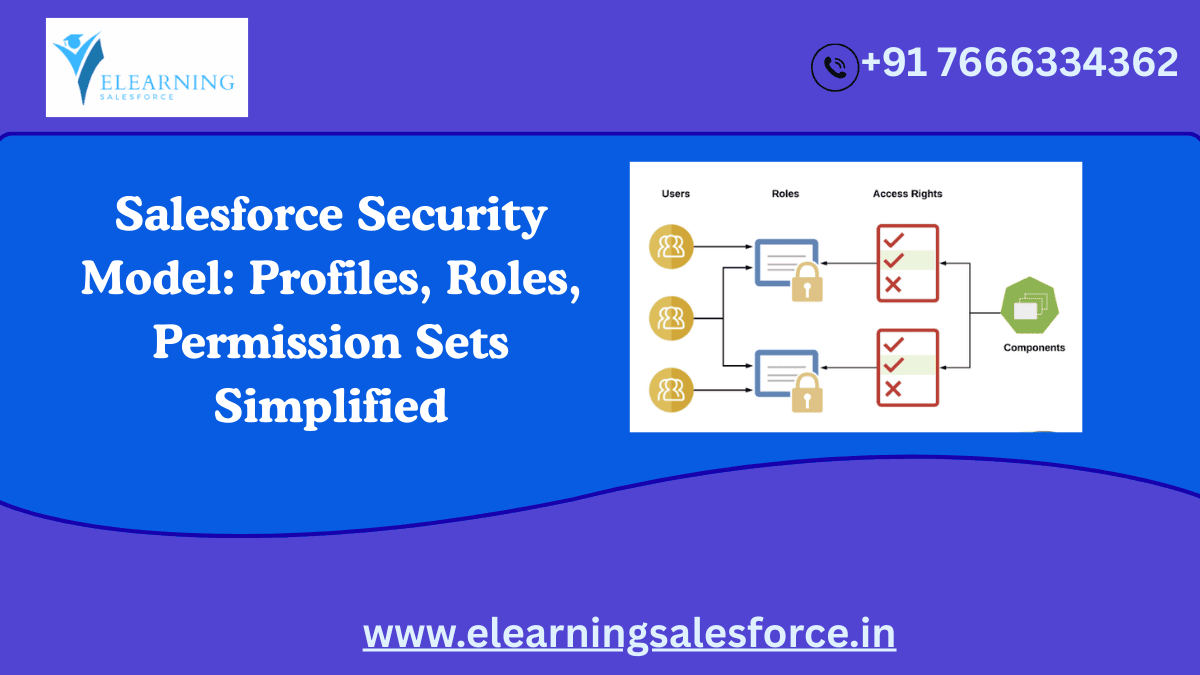
Together, these form the core of the Salesforce Security Model.
How These Components Work Together
In a real Salesforce setup:
- A profile gives base access
- A role defines record visibility
- Permission sets add extra capabilities
For example:
A sales rep has a Sales Profile, a Sales Rep Role, and a Permission Set for advanced reporting.
Industry Trends in Salesforce Security
Salesforce security continues to evolve with industry needs.
Current trends include:
- Permission-set-driven access models
- Reduced reliance on complex role hierarchies
- Security reviews for compliance
- Field-level security for data privacy
- Integration with identity providers
Security is now a strategic design decision, not an afterthought.
Common Mistakes Beginners Should Avoid
Many beginners:
- Create too many profiles
- Use roles for permission control
- Ignore permission sets
- Overexpose sensitive fields
Avoiding these mistakes keeps Salesforce secure and manageable.
Who Should Learn the Salesforce Security Model?
Understanding the Salesforce Security Model is essential for:
- Salesforce beginners
- Admins and consultants
- Business analysts
- Team leads and managers
- Company employees using Salesforce daily
Security awareness benefits everyone.
Final Thoughts: Simplifying Salesforce Security
The Salesforce Security Model may seem complex, but once you understand profiles, roles, and permission sets, everything starts to make sense.
Profiles define the base. Roles control visibility. Permission sets add flexibility. Together, they ensure Salesforce remains secure, scalable, and user-friendly.
Mastering the Salesforce Security Model is a major step toward becoming confident in Salesforce administration and usage.
Call to Action
Ready to strengthen your Salesforce fundamentals?
Explore beginner Salesforce Admin guides, hands-on security labs, and real-world case studies to master profiles, roles, and permission sets. Strong security knowledge leads to trusted Salesforce professionals.
You may be interested in this blog here
Charting a Course to ROI: Navigating Intent Data Challenges Effectively


